Include the following details :
- Issue category: Lightship Maps / Semantic Segmentation / Multiplayer / VPS / Scanning Framework / Ingress
- Device type & OS version: Android / iOS
- Issue Environment : Ingress, Scaniverse, Spatial Browser
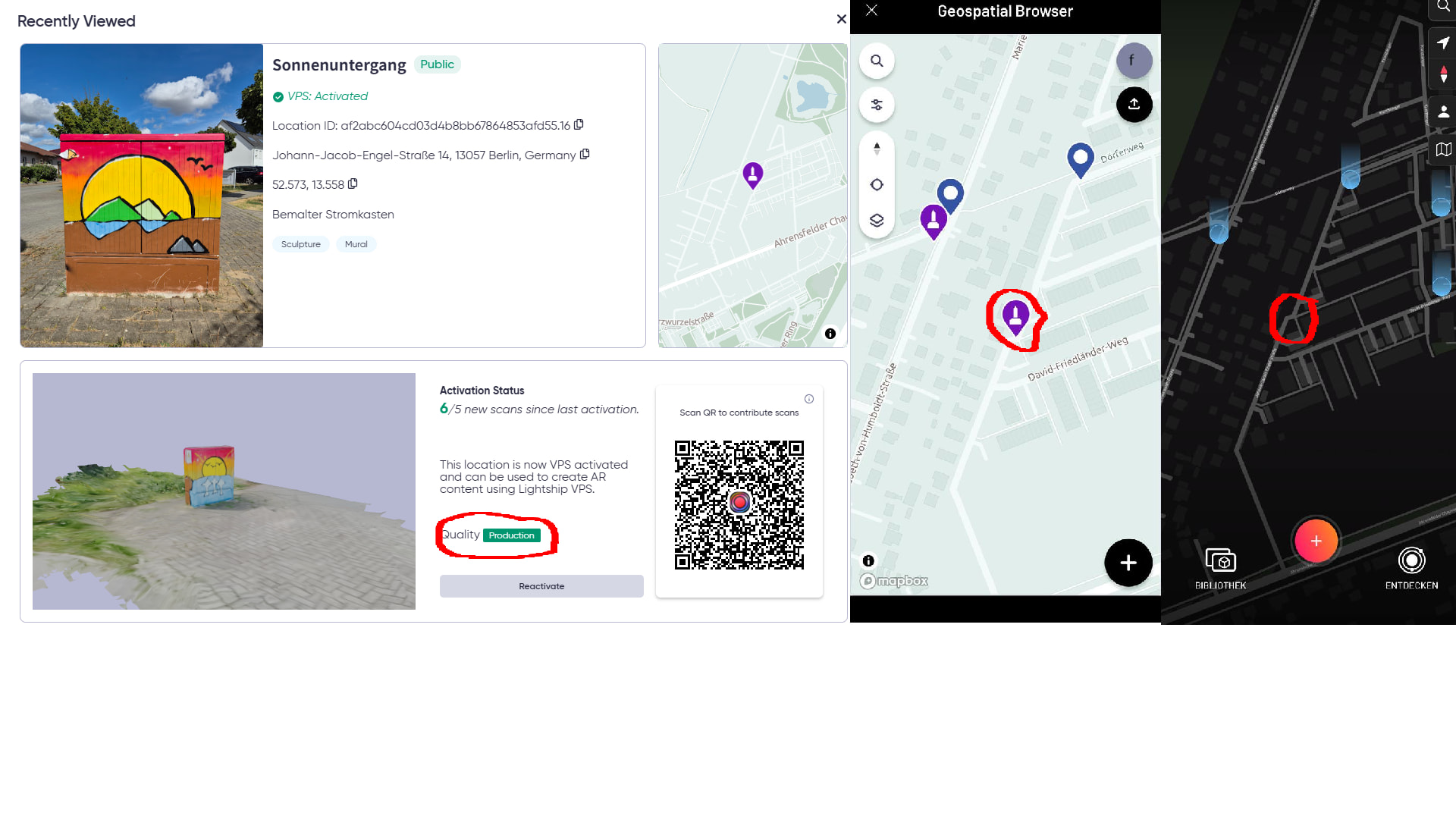
Location-ID: af2abc604cd03d4b8bb67864853afd55.16
Location: Johann-Jacob-Engel-Straße 14, 13057 Berlin, Germany
LatLng: 52.572829, 13.558266999999999
Why do I write here and not in Ingress?
The waypoint (VPS Activated “Production”) does not appear as VPS in the Scaniverse app, so this seems to be an issue with the waypoint itself rather than an Ingress-related problem.
Description of the issue:
I have a waypoint that I successfully activated for VPS through a large number of high-quality scans. Test scans work without any issues, and in the Geo-Spatial browser the waypoint shows up correctly as VPS-activated.
However, the same waypoint does not appear in the Scaniverse VPS map.
Additional details:
-
Even a Reactivate attempt does not work.
-
Other waypoints can be activated or reactivated without problems — only this one fails with an error.
-
This makes me suspect that the waypoint might be corrupted or incorrectly tagged on the server side as an activated VPS object.
Expected behavior:
A VPS-activated waypoint should appear in the Scaniverse VPS map and should be scannable/reactivatable in Ingress.
Actual behavior:
Waypoint appears in the Geo-Spatial browser but not in Scaniverse, and Ingress scanning/reactivation fails every time.
Request:
Please check whether this waypoint is incorrectly tagged, corrupted, or stuck in an invalid VPS state and correct it on the backend.